
If there’s one piece of software that’s had an outsized impact on my productivity, it’s aText. This tiny text expansion tool runs quietly in the background of my Mac, but it’s saved me so much time.
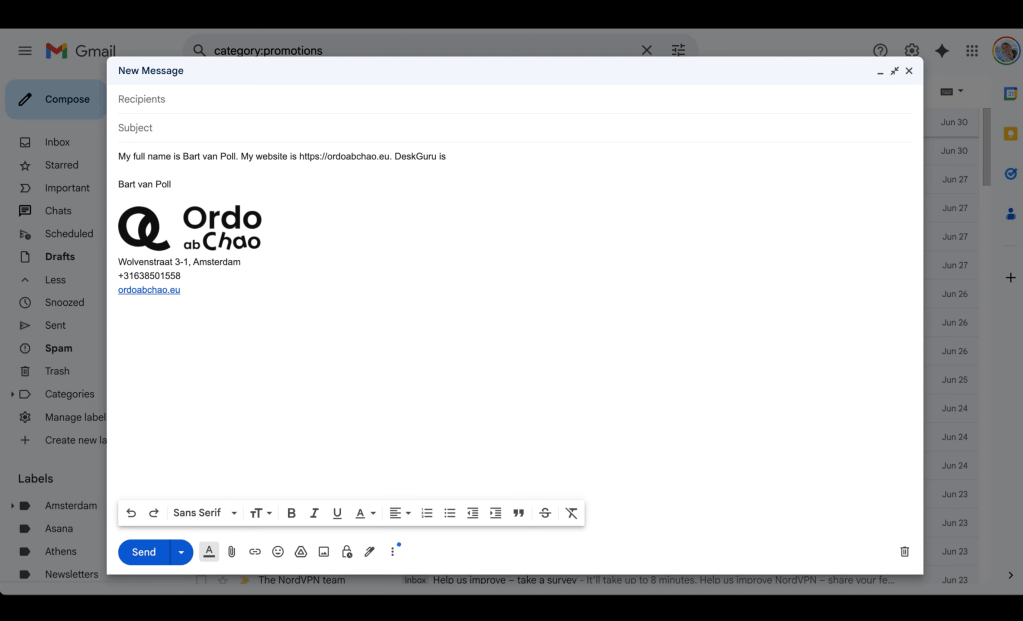
At its core, aText is simple: you create custom abbreviations that automatically expand into full phrases, sentences, or even paragraphs. For example, when I type ;;em aText instantly replaces it with my email address, in any application. And when I type ;;OACw the text is replaced with ordoabchao.eu. Also I’ve set up a folder with shortcuts to all flags in the world. So when I type ,,GR it gives me 🇬🇷 . What once took a few seconds now takes less than one.
But the real magic happens when I started using aText to streamline the repetitive parts of my workflow. Like responses to common client emails, and templates for Notion.
It’s lightweight, runs locally (no cloud syncing necessary – although I do advise it) and costs just $4.99 per year, or US$29.99 for “life”.
Over time, it trains you to think: “Can I automate this?” The saved keystrokes add up fast—minutes each day, hours each month.
If you write a lot, I can’t recommend using a “text expansion” tool enough.
There are undoubtedly many pieces of software like this, but I’ve been a happy user of aText for over 10 years. It’s stable and gets better every year while staying minimalist. And it’s nice to support indie developer Trần Kỳ Nam – I think they’re located in Vietnam!
