I’ve always been fascinated – and frankly a bit obsessed – by “filing” information. I guess this gene was passed on from my father, who has always been an early adopter of technology and an avid digital filer of photographs. From his phone he will find a picture of a birthday party in 1987 in seconds!
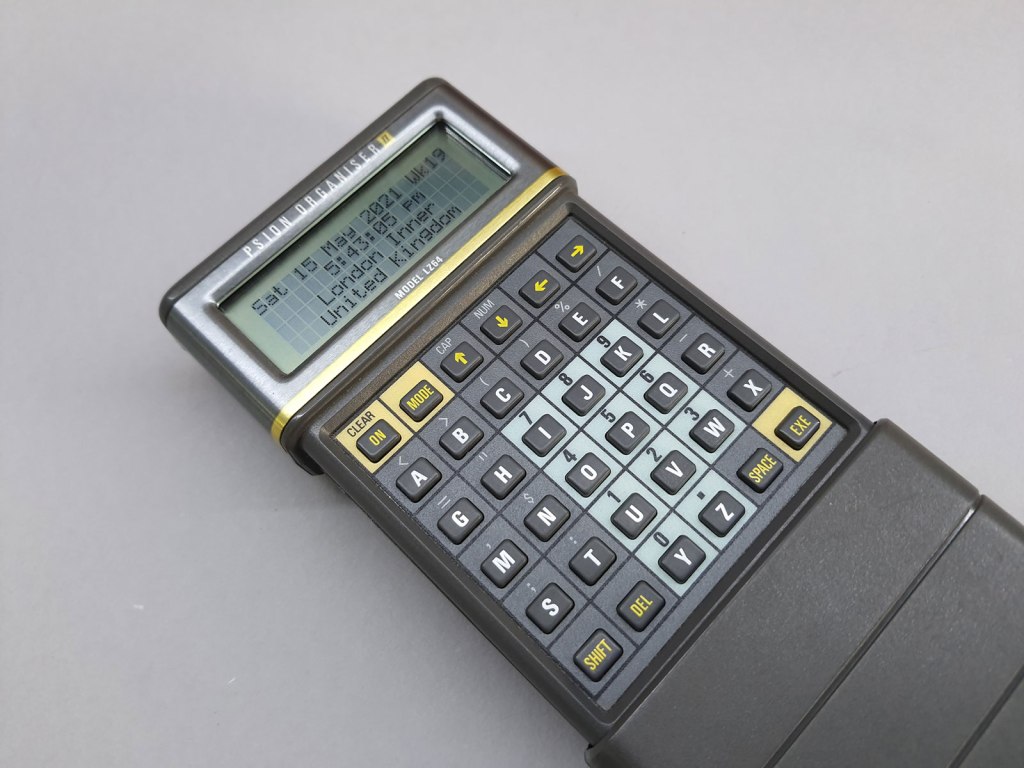
My father gave me his Psion Organizer II after he upgraded to the then hyper-modern Psion 3 in 1995. I was devastated after it was lost on a Metro commute during my internship in Seoul.
Organise all information in your life
The Holy grail of course for filing-nuts like me is organising all the information in my life. I never really pursued it, as I guess I always thought it was a ridicilous unachievable goal. Until I read “Building a Second Brain” by Tiago Forte.
Building a Second Brain – the methodology
Forte’s message is simple: there’s too much information out there. You can never store everything you need to know in your head. You should build a digital “Second Brain” to store all information in one place. The goal: better, faster and more informed decisions, and peace of mind (no “I should rememer this” anymore).
The time has come for us to realize the vision of technology’s early pioneers—that everyone should have an extended mind not just to remember more and be more productive, but to lead more fulfilling lives.
Forte’s 4-step CODE system to turn information you consume into concrete results is simple, and timeless. It works in any note taking app.
- Capture information immediately & consistently
- Organize using the PARA method (below)
- Distill – extract the essence
- Express your ideas through writing, speaking, designing, or teaching
The PARA method is a universal system to organize any digital info into:
- Projects: efforts with a clear end goal and a deadline (“Organize wedding”, “Buy car”)
- Areas: ongoing responsiblities with no end date (“Health”, “Finance”)
- Resources: Topics of interest
- Archive: inactive items from previous categories
Learning 1: Don’t file immediately
The main eye-opener for me: it isn’t necessary to “file” some information in you want to capture right away. I guess this is what led me to abandon any system I used in the past.
As I am increasingly in a hate-hate relationship with my phone I really feel bad about pulling up my phone / notebook every time I need to note something, and then having to take the time to find the right place to file it.
Forte’s trick: make it as effortless as possible to make a note, and don’t worry about filing it. Forte uses an “Inbox” folder on the note taking app on his phone. I always carry around a little paper notebook and pencil to write down a few words. And I have another little notebook & pencil next to my charging phone in the closet at night.
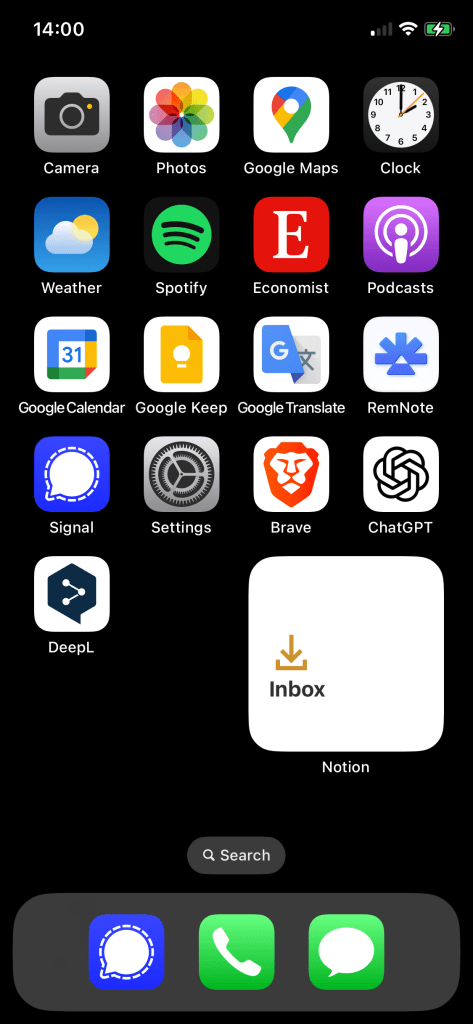
If I’m on my computer or phone (only then) I drop my note in the “Inbox” of my Second Brain app: Notion, to which I have a one-click shortcut on my Mac & iPhone Desktop.
Once a week on Friday I have a bunch of small digital chores in my tasks list, including filing all the notes from my paper notebook and my Notion Inbox.
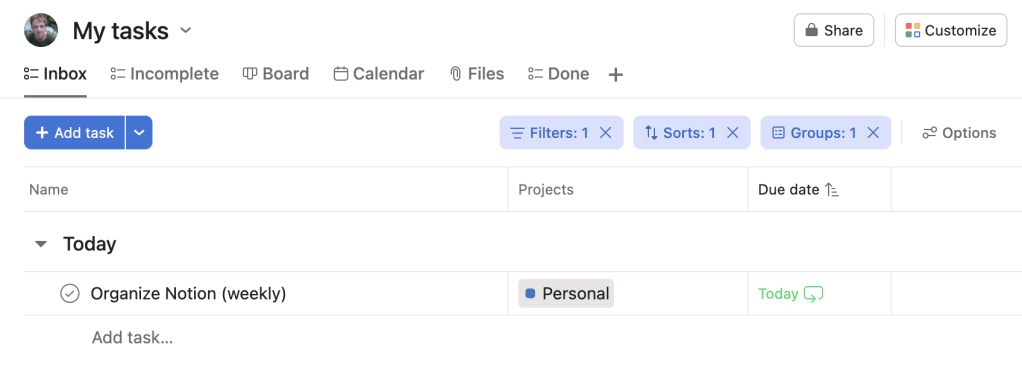
I don’t take action on any of the notes, I just file them in the right place. The key is to keep it easy and finish this task in one go. Sometimes I have 5 notes in a week, sometimes a 100.
Learning 2: don’t over-organize
Most people, including myself, lose motivation because they over-think where they need to “file” something. I have so often re-organized the folder-structure of my computer. But I think 95% of the folders I’ve created I’ve never looked into again. It’s a waste of brain-power nowadays to do something like this, as all note taking apps have a really powerful search option.
The key is PARA: find out if a piece of information you want to file is (part of) a project or an area/resource and archive stuff you don’t use anymore. I do the archiving 3 times a year.
But even as Forte’s system is straightforward and I’m a filing-nut, it’s “too much” for me. I’ve read or browsed Forte’s book three times over the last few years, and started anew with fresh energy implementing everything according to the book. I even bought a “My Second Brain” Notion template that promises to be “plug & play”. It was, but I got stuck every time.
I’ve decided to simplify Forte’s system considerably, and now it’s working for me. For example: I often found it difficult to choose if a piece of information was an “Area” or “Resource”. So I stopped caring and put them together.
Learning 3: Sharing is good!
Forte’s system encourages sharing information you’ve gathered with the world. If you use the system well, you’ll find relationships between pieces of information you filed (like links, articles, books) that you hadn’t though about. Built-in AI (like Notion AI) can help you too.
The purpose of knowledge is to be shared. What’s the point of knowing something if it doesn’t positively impact anyone, not even yourself?
Also, I just note down many more ideas about topics I want to share information about on socials or on my blog. I guess it’s one of the reasons I re-started my blog.
Great sources to get started
- Of course: get the book “Second Brain” from your local bookshop.
- Tiago Forte’s website
- Thomas Frank’s Youtube videos are awesome.
- Notion – play around with it
Need help?
Entrepreneur? Don’t know where to start, like I did? I’m happy to help you set up a very basic Second Brain that you can expand and a maintenance process that works and sticks! Do get in touch.
